Affiliate Disclosure: We earn commissions from qualifying purchases through links on this page.
CrushOn AI Download Guide 2026: Android, iOS, and Web Access
CrushOn AI runs on Android via Google Play Store or direct APK download, on iOS through either the App Store (regionally limited) or Safari browser, and as a full-featured web app at crushon.ai with no installation required. Most users can be up and running within two minutes. This guide provides exact steps for each platform and explains the iOS availability situation that confuses many new users.
Downloading CrushOn AI on Android

Android users have two installation paths. The Play Store option is simpler; the APK option works in any country.
Via Google Play Store
- Open the Google Play Store application on your Android device
- Tap the search bar and type "CrushOn AI"
- Locate the app published by Peekaboo Tech Inc.
- Tap "Install" — the download and installation completes automatically
- Open the app from your app drawer or tap "Open" in the Play Store
System requirement: Android 5.0 or higher. The app runs on virtually all Android devices currently in use.
The Play Store version is available in most countries. Updates install automatically if you have auto-update enabled.
Via Direct APK Download
For users in regions where the Play Store version is unavailable, or who prefer manual installation:
- Open a browser on your Android device
- Navigate to crushon.ai (the official website)
- Find the "Download App" or "Get Android App" link in the site header or navigation
- Download the APK file — your browser will download it to your Downloads folder
- Tap the downloaded file to open the installer
- Android will display a security warning about installing from unknown sources — tap "Settings" in the warning to enable this for your browser, then return and install
- The app installs in about 30 seconds
Security note: Only download the APK from crushon.ai. Third-party APK hosting sites (APKPure, APKMirror clones, unofficial mirrors) may distribute modified versions. The official site version is safe.
Accessing CrushOn AI on iPhone and iPad
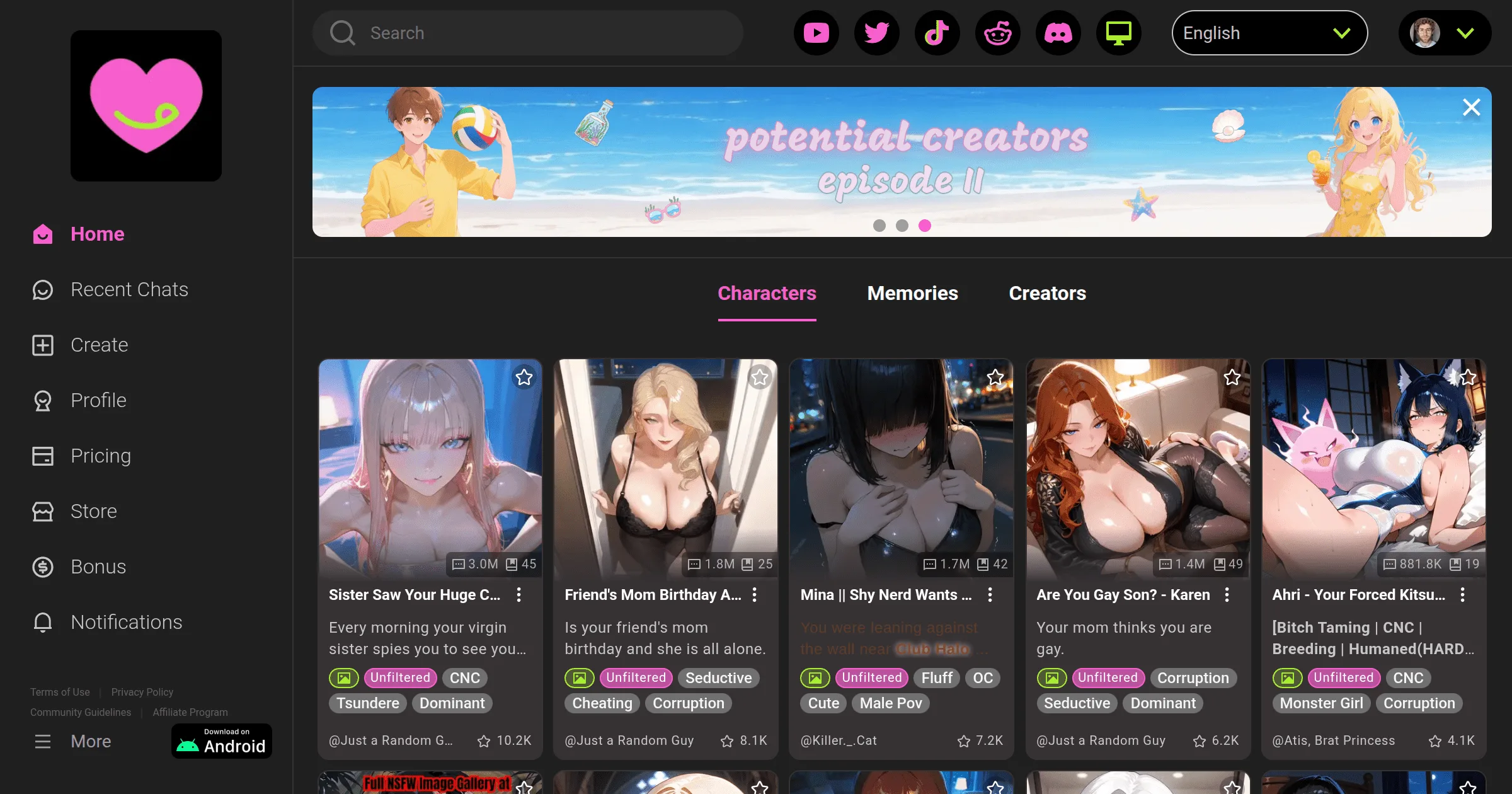
The iOS situation requires explanation. CrushOn AI has had its App Store availability in some regions restricted due to Apple's content guidelines around explicit NSFW material. In countries where Apple has restricted the app, it does not appear in App Store search results.
Checking App Store Availability
- Open the App Store on your iPhone
- Search for "CrushOn AI"
- If the app appears, you can install it normally
- If no result appears, the app is not available in your country's App Store
iPhone Web Access (All Regions)
The web version at crushon.ai works on iPhone and iPad without restrictions. Safari on iOS delivers a fully functional CrushOn AI experience with all features available: chat, character browsing, image generation (on paid plans), voice messages (on Premium/Deluxe), and account management.
Adding CrushOn AI to your iPhone home screen:
- Open crushon.ai in Safari
- Tap the Share icon (box with upward arrow) at the bottom of the screen
- Scroll down in the share sheet and tap "Add to Home Screen"
- Edit the name if desired, then tap "Add"
The shortcut appears on your home screen and launches the full CrushOn AI interface directly, behaving similarly to a native app without being listed in the App Store.
Using CrushOn AI in a Web Browser (No Download)
The web version is not a reduced-functionality alternative — it is the same platform as the app, accessible at crushon.ai in any modern browser.
Platform compatibility: Chrome, Firefox, Safari, Edge, and other modern browsers on Windows, macOS, Linux, Android, and iOS.
Desktop access: CrushOn AI works well on desktop computers. No download is needed. Open crushon.ai in your browser of choice. The interface adapts to larger screen sizes and functions fully on desktop hardware.
When to choose web over app:
- Desktop computer usage
- iOS devices where the App Store version is unavailable
- Users who do not want to install another app on their device
- Any situation where installing the app is impractical or restricted
Creating Your CrushOn AI Account
Registration is required to use the platform. The process takes about 90 seconds.
Step 1: Open CrushOn AI (app or crushon.ai in browser)
Step 2: Tap "Sign Up" or "Register"
Step 3: Choose your sign-up method:
- Email: Enter an email address and create a password
- Google: Sign in with your Google account (one-tap process)
- Other social login options may be available
Step 4: Verify your email address by clicking the link in the verification email (if using email registration)
Step 5: Confirm you are 18 or older on the age gate
Step 6: Your account is active — start browsing characters immediately
No credit card is needed. The free tier is available from the first login: 50 messages per day, access to the full character library.
Privacy tip: Consider registering with a secondary email address rather than your primary personal email. CrushOn AI stores conversation data on its servers — using a separate email reduces the link between platform usage and your main identity.
Ready to try CrushOn AI?
Visit CrushOn AIApp vs Web: Which Should You Use?
| Feature | Android App | iOS Web | Desktop Web |
|---|---|---|---|
| Installation | Required | None | None |
| Push notifications | Yes | No | No |
| Home screen shortcut | Yes (app) | Yes (add to screen) | Bookmark |
| Offline use | No | No | No |
| All features | Yes | Yes | Yes |
| Auto-updates | Yes | Always current | Always current |
| Region availability | Most countries | All regions | All regions |
Practical recommendation: use the Android app if available in your region — the native app experience is marginally smoother. iOS users in countries without App Store access should use the Safari web version. Desktop users should use the web version.
Troubleshooting Installation Problems
Play Store says "not available in your country": Download the APK directly from crushon.ai. See the APK section above.
APK installation blocked by security settings: Go to Settings > Apps > Special App Access > Install Unknown Apps, find your browser in the list, and toggle on "Allow from this source." Return to the APK file and install.
App crashes immediately after opening: Update the app through Play Store if an update is available. If no update is available, clear the app cache: Settings > Apps > CrushOn AI > Storage > Clear Cache.
Can't log in after installation: Verify your email and password are correct. Use "Forgot Password" if needed. If you registered with Google, use the Google sign-in button rather than typing email/password.
For broader troubleshooting including server errors and chat issues, see our CrushOn AI not working guide.
Frequently Asked Questions
Apple enforces content policies that restrict apps featuring explicit NSFW material. CrushOn AI was removed from the App Store in several regions due to these policies. The platform remains fully accessible via the Safari web browser on iPhone and iPad at crushon.ai.
Yes. The APK hosted on the official crushon.ai website is the same software as the Play Store version. Installing it requires enabling "Install from unknown sources" in Android settings, which is standard procedure for any APK and not an indicator of risk from the official source. Avoid APK files from any website other than crushon.ai.
Yes. Your account is accessible from any device. You can log in to the same account on your phone, tablet, and desktop browser simultaneously. Conversations sync across devices.
Android 5.0 (Lollipop) and above is required. Android 5.0 was released in 2014. Nearly all Android devices currently in use meet this requirement. If you have a device older than approximately ten years, it may not be compatible.
No. CrushOn AI does not have a dedicated Windows, macOS, or Linux application. The web version at crushon.ai provides full feature access on desktop and laptop computers without requiring any software installation.